Insights Everywhere: Chronicling v2.0 iOS 27 Update
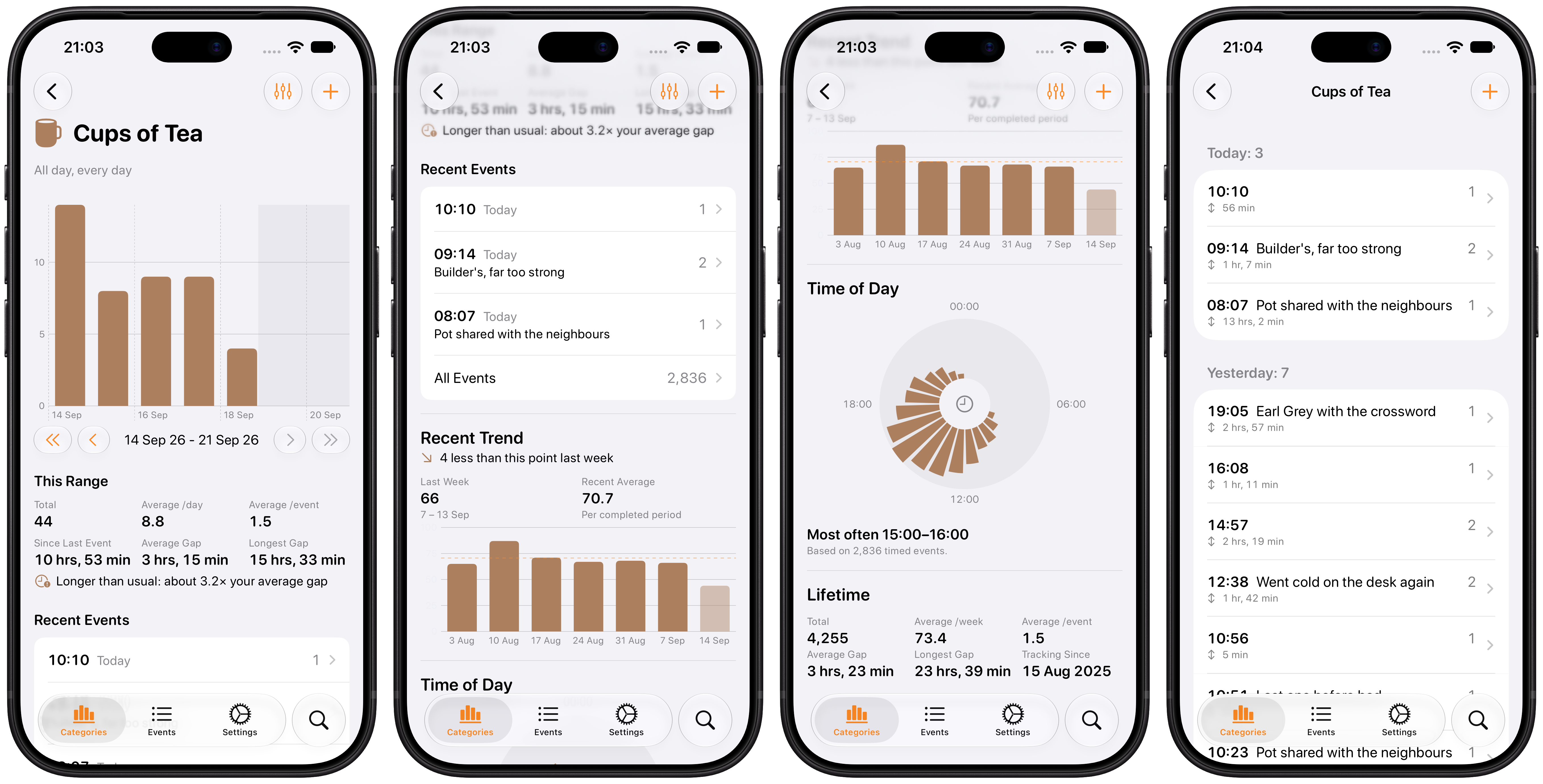
Chronicling is ready for iOS, watchOS and visionOS 27! Version 2.0 is available now, and it is the biggest update to how you visualize your data since Chronicling launched.
The highlight of the release is the redesigned category screen. See the gaps between events at a glance, compare this week, month or year with the one before it, find out what time of day things tend to happen, and get lifetime stats all in one place.
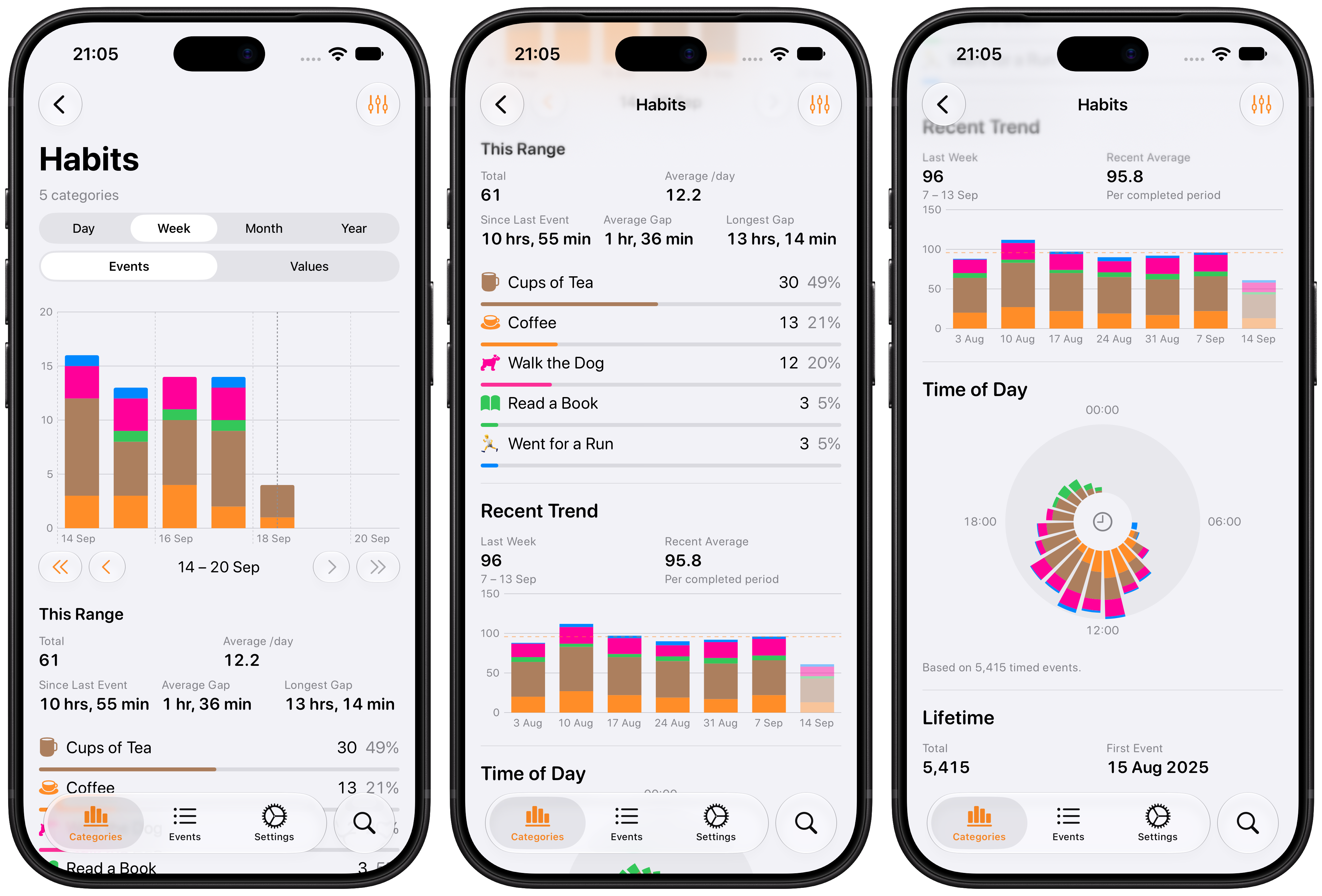
Group insights bring the same depth to a whole group: tap the chart button next to a group’s name for stats and charts across every category it contains, with a breakdown showing how each one contributes.
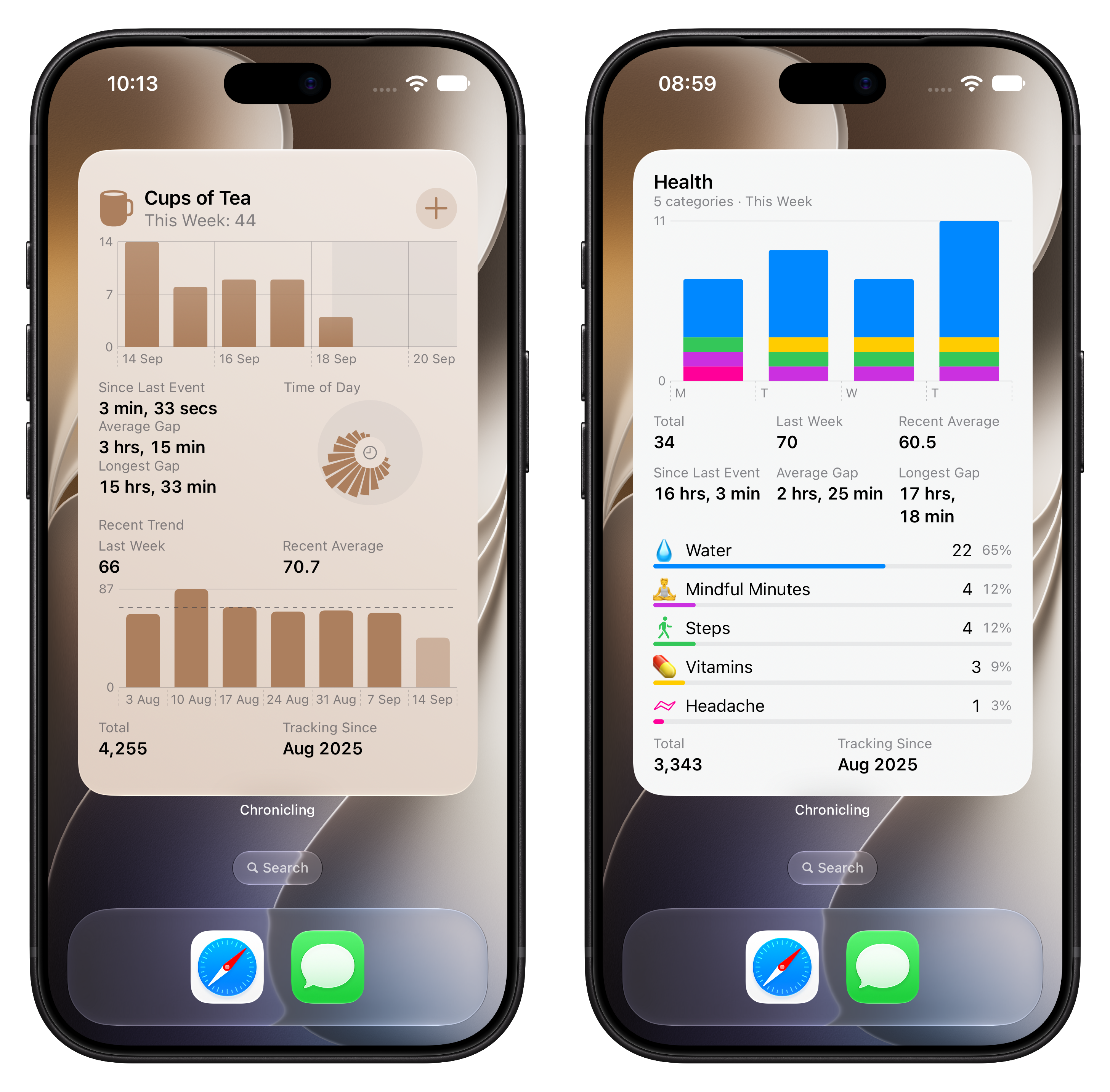
Widgets get bigger too, with new large and extra large sizes in both portrait and landscape for categories, plus an all-new Group widget.
Other new features include:
- Time between events: event lists can show how long passed between each entry — turn it on in Settings › Display Options
- Manual category ordering: sort your categories however you like
- Individual categories can override the global category-list chart style
- Categories, events, and groups are indexed in Spotlight
- Accessibility and responsive-layout improvements
Chronicling is available to download for free on the App Store. Chronicling Premium is currently available for $0.99 a month/$9.99 a year/$39.99 lifetime, or regional equivalent.